Large print comic books: make any comic's lettering bigger
Large print comic books are rare, because a comic's words are lettered into the art: there is no font to make bigger, only the whole page. LiveComics makes the lettering bigger on your screen instead. Panels shows one panel at a time, framed to fill the screen, and Pop out balloons lifts each speech balloon out of its panel, enlarged. Both are free on the comics you add.
Are there large print comic books?
Very few. Large print editions are made for prose, where the words can be set again in a bigger type. A comic's words sit in balloons drawn into the page, so a bigger edition means a bigger page, and few comics ever get one. Digital comics hit the same wall in another shape: a CBR or CBZ file is a stack of page pictures, and on a phone a whole page shrinks until the lettering is tiny.
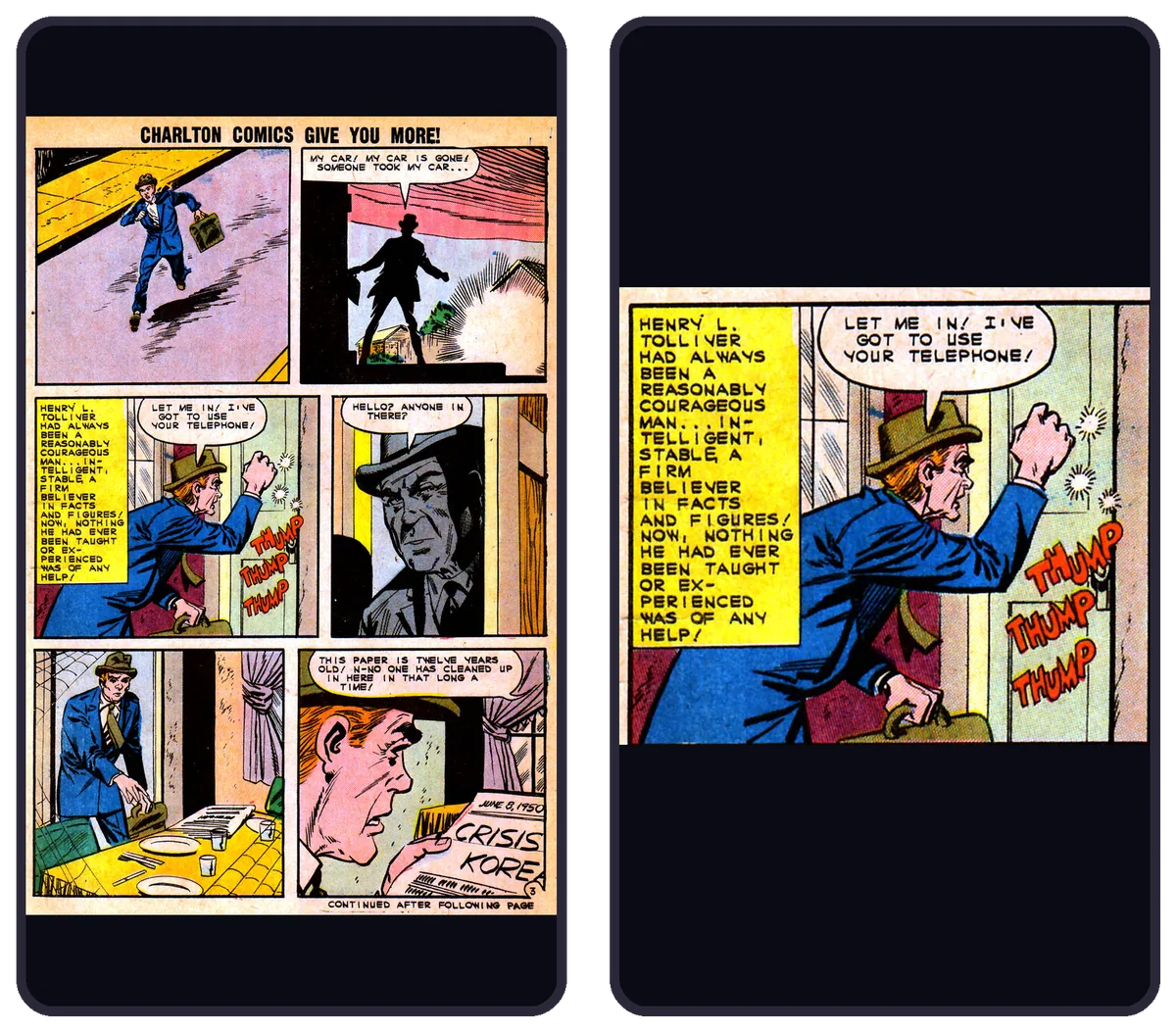
Why is the text in comics so small?
Because a comic page is drawn and lettered for print, to be read on paper in your hands. Fit that page on a phone screen and everything shrinks with it, the words most of all, because they were already the smallest thing on the page. Old comics are the hardest: more panels to a page and long captions in small hand lettering.
Why are old comics so hard to read? · How to read comics on your phone
How do I make the text in a comic bigger?
Add the comic once, then read it one panel at a time, with the balloons popped out if you want them bigger still.
- Make a free account at livecomics.to, or get the app from the App Store, Google Play or the Microsoft Store.
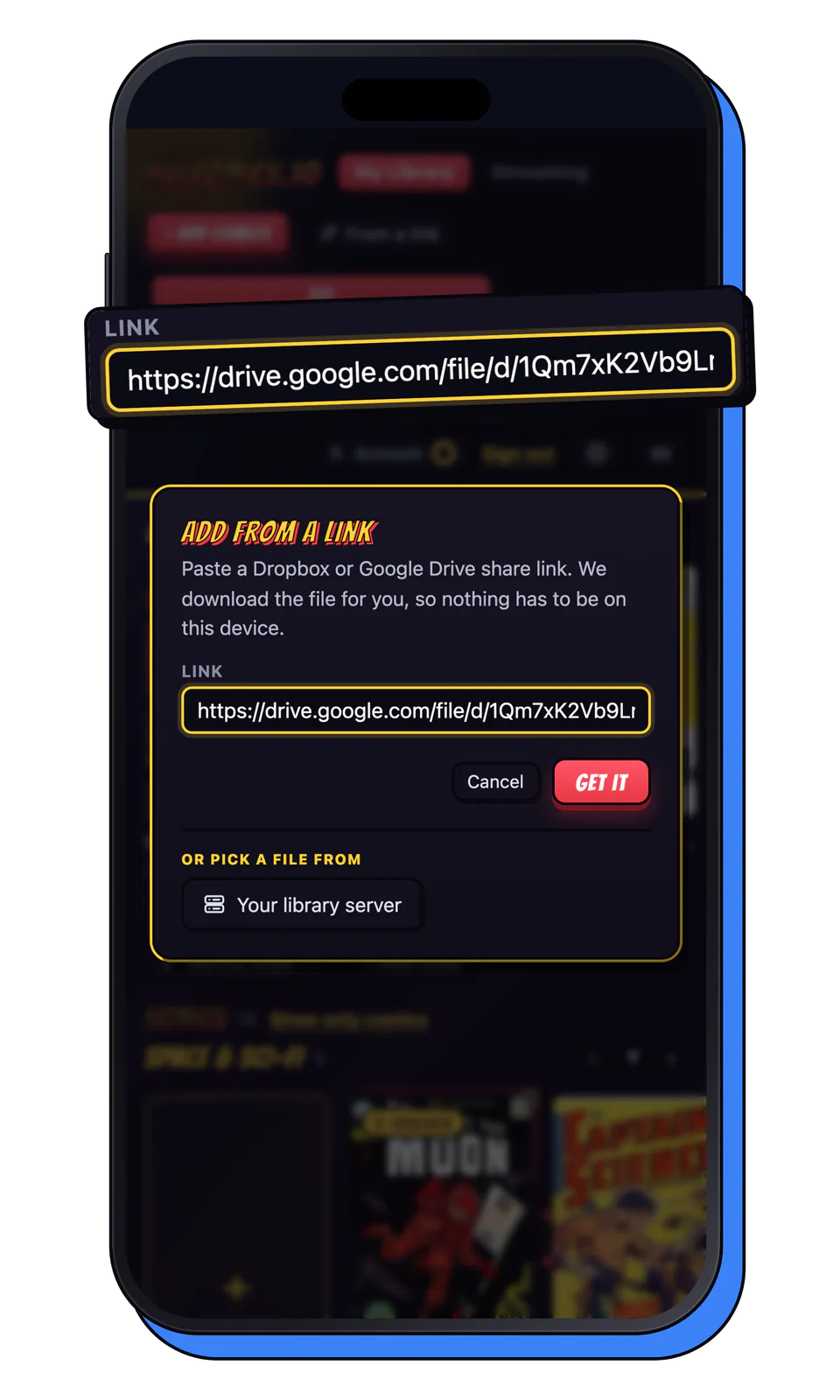
- In your library, press + Add Comics and pick the file: CBR, CBZ, PDF or EPUB. You can paste a Google Drive or Dropbox link instead.
- Under Import as, choose Panels, pick the reading type and press Add. Panels is free on every issue.
- Open the comic. Each panel fills the screen, and a tap or a swipe moves to the next one.
- For bigger words still, open the reader's Settings and switch on Pop out balloons under View. Each tap then shows the next speech balloon up close.
A free account imports 30 comics a month and holds 1 GB, about 20 single issues, with no card.
App Store · Google Play · Microsoft Store
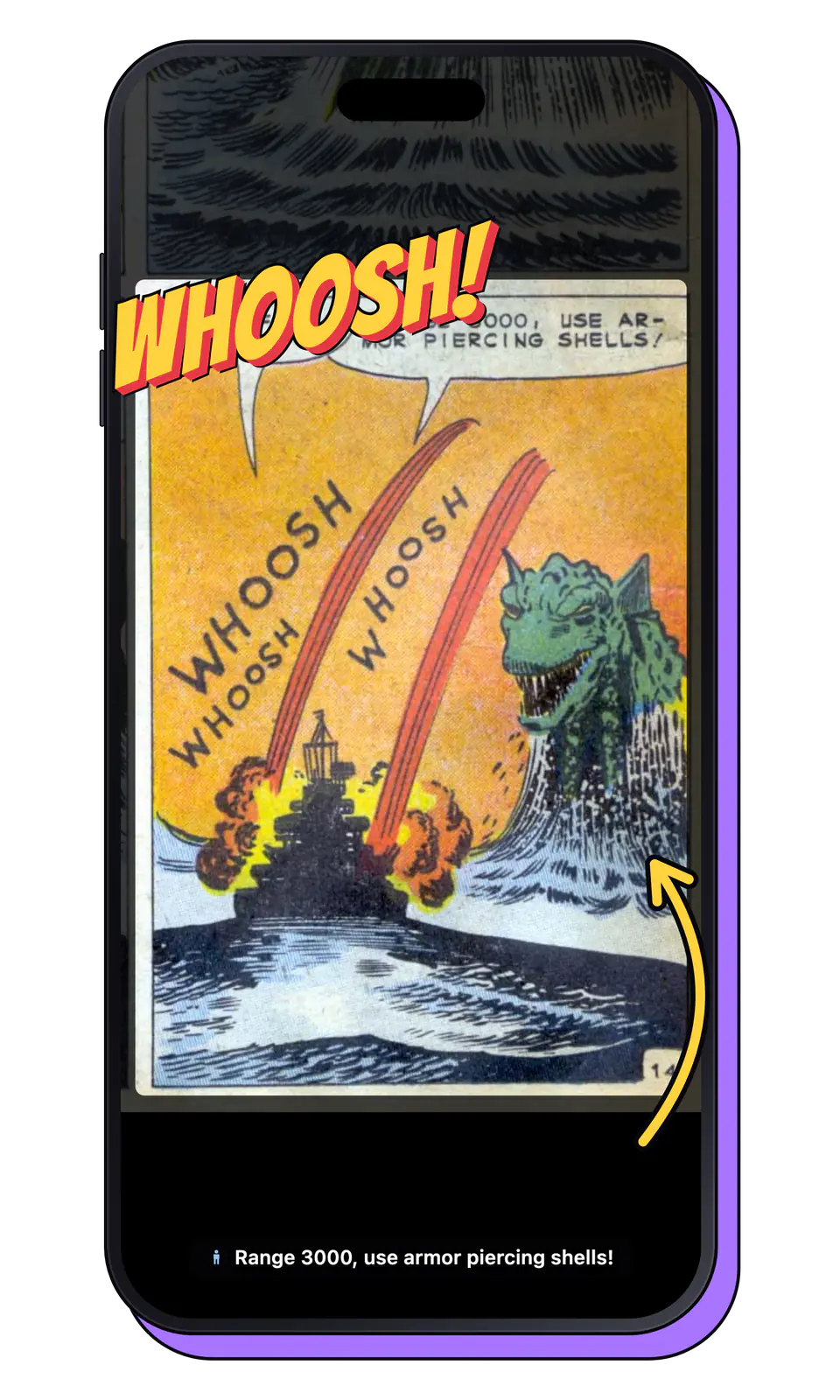
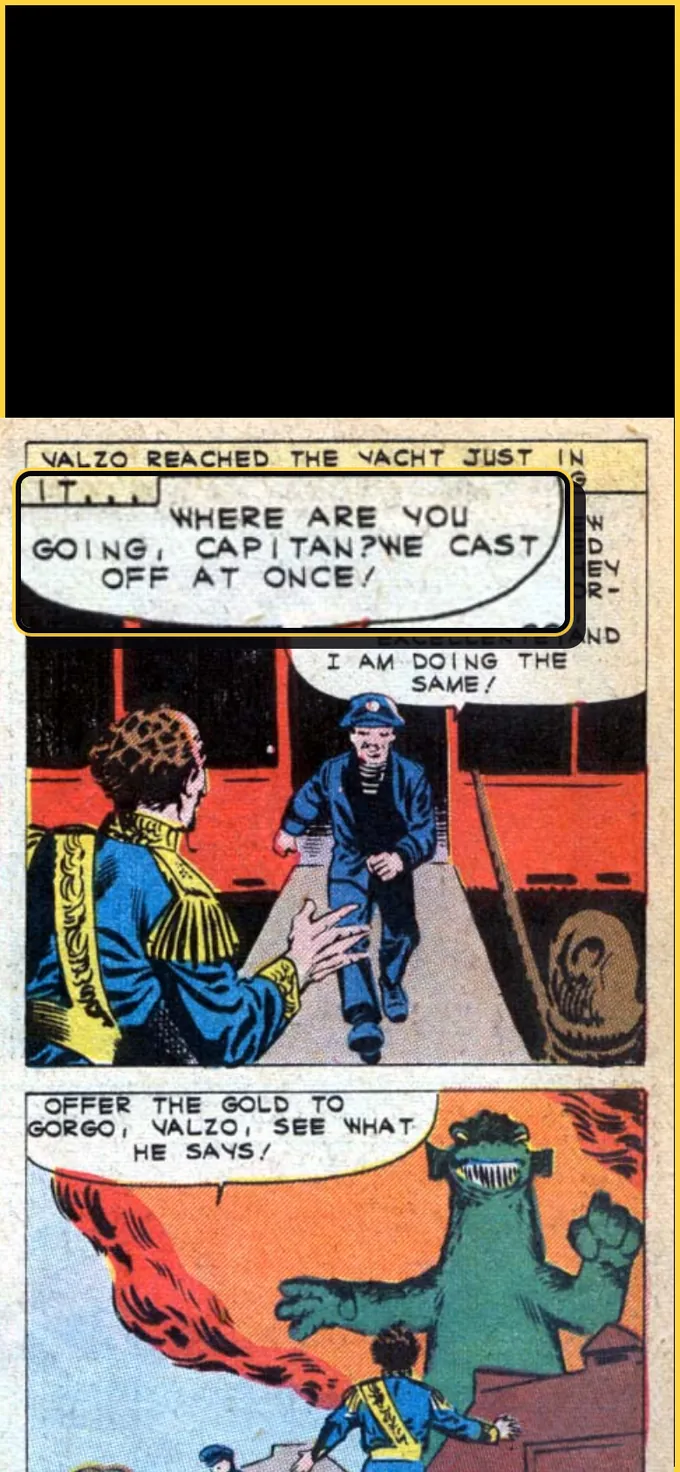
Can I zoom in on the speech bubbles?
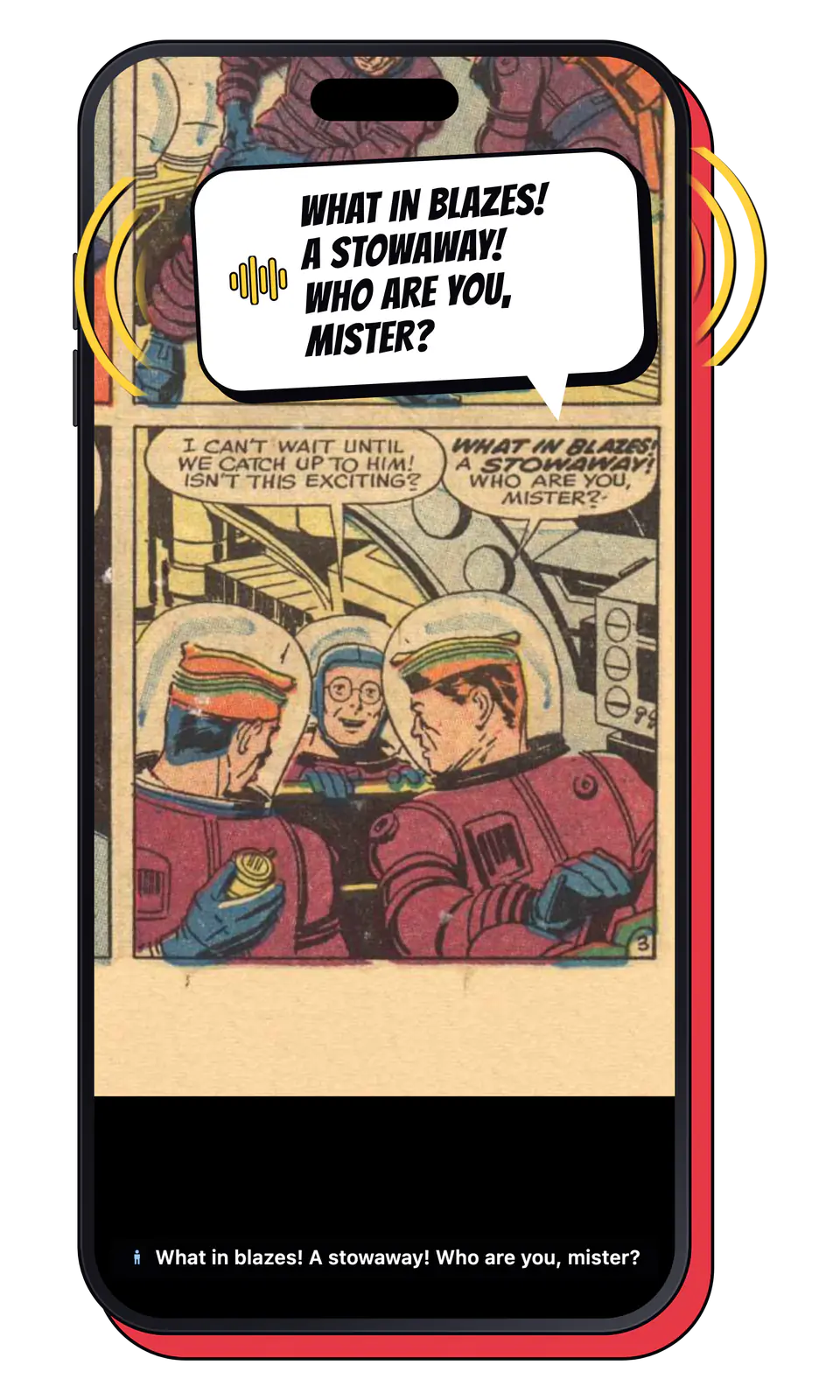
Yes. Switch on Pop out balloons and each tap lifts the next balloon out of the panel, enlarged over the art, in reading order. After a panel's last balloon, the next tap turns to the next panel. It stays off until you switch it on, and the switch only appears on books with balloon data. Balloons are found automatically, so on a crowded panel one can be missed or come out of order.
Zoom in on speech bubbles · Read comics panel by panel, free
Is there large print manga, or large print graphic novels?
Rarely, for the same reason: the words are drawn into the pages. The fix is the same as well. Add the volume and read it one panel at a time; pick Manga as the reading type and the panels go right to left, as printed. A graphic novel is a longer comic, so it reads the same way, and each file can be up to 2.6 GB.
Can I keep the whole page, just bigger?
Yes. In a whole page view, open the reader's Settings and set Page sizing to Width, and the page is matched to the width of your screen instead of fitting all of it in. It suits a tablet or a computer screen best.
What if I would rather listen?
Choose Panels + Audio when you add the comic, and every speech balloon is read aloud in order by two synthetic narrators matched to each speaker, with the drawn sound effects and a soundscape under every scene. Switch on Subtitles to see each line as it is spoken. Voices come with a monthly plan or a top-up, and you see the price in credits before you press Add. The free streaming shelf of public domain classics is voiced already.
What won't it do?
It does not set the words again in a new font: what you see is the page itself, bigger. A blurry scan stays blurry when it is enlarged, so add the best copy you have. Panels and balloons are found automatically, so now and then a panel is cut wrong or a balloon is missed, and the whole page is always one switch away.
Straight answers
Are there large print comic books?
Very few. A comic's lettering is drawn into the page, so a large print edition means printing the whole page bigger. On a screen you get the same result: LiveComics shows one panel at a time and can pop out each speech balloon, enlarged.
How can I make comic book text bigger on my phone?
Read one panel at a time instead of a whole page. In LiveComics, Panels fills the screen with one panel, which on a page of six panels makes the lettering close to twice as big. Pop out balloons enlarges each speech balloon on top of that.
Is there a large print manga reader?
LiveComics reads manga one panel at a time, right to left, each panel filling the screen, and can pop out each speech balloon enlarged. Add the volumes you own as CBZ, CBR, PDF or EPUB.
Can I read comics bigger on a tablet or a computer?
Yes. LiveComics runs in any browser and in the apps for iPhone, iPad, Android and Windows. On a big screen you can match the whole page to the screen's width, or read one panel at a time.
Does it work on old comics?
Yes, and they gain the most: old pages often hold six panels and long captions in small hand lettering. Panels and Pop out balloons work on them the same way.
Is LiveComics free?
Yes, to add and read your comics. A free account imports 30 comics a month with 1 GB of storage and no card, Panels is free on every issue, and voices come with a monthly plan or a top-up.
Read this page in: Español · 日本語 · Português · Français · Deutsch · Italiano · Polski · Türkçe · Indonesia · Tiếng Việt