A comic reader that pops out every speech bubble
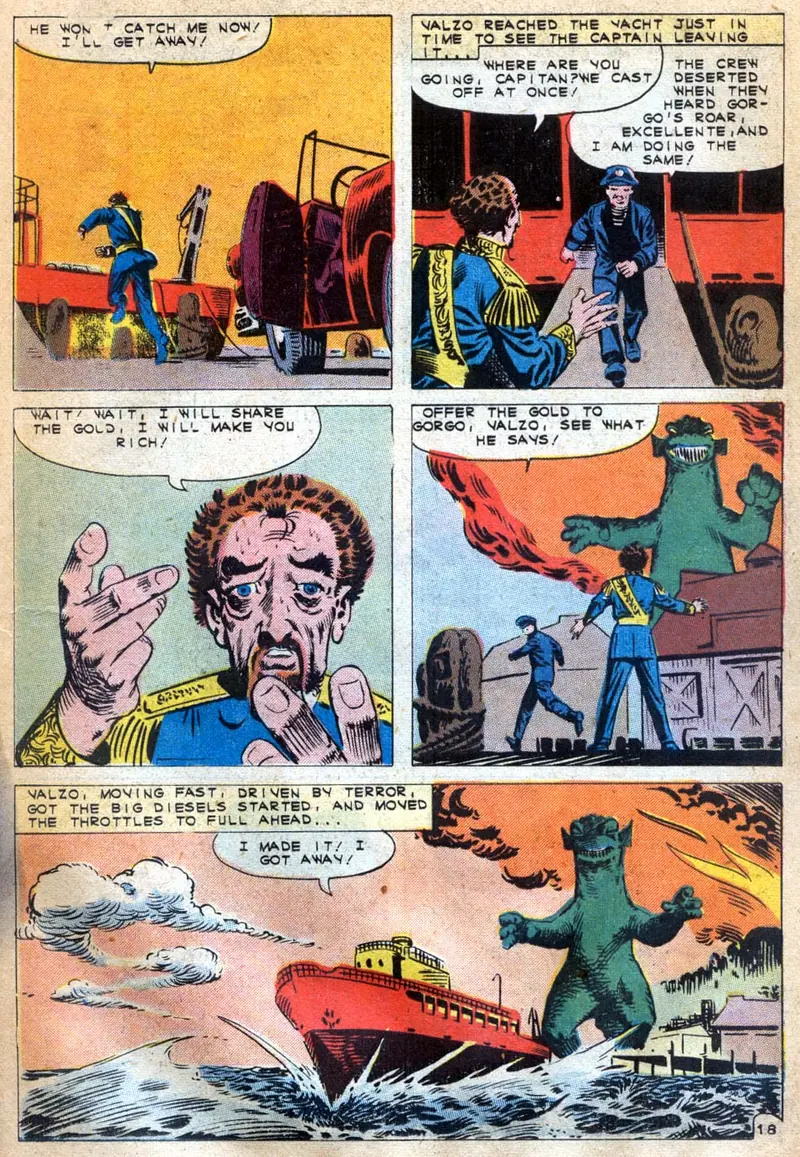
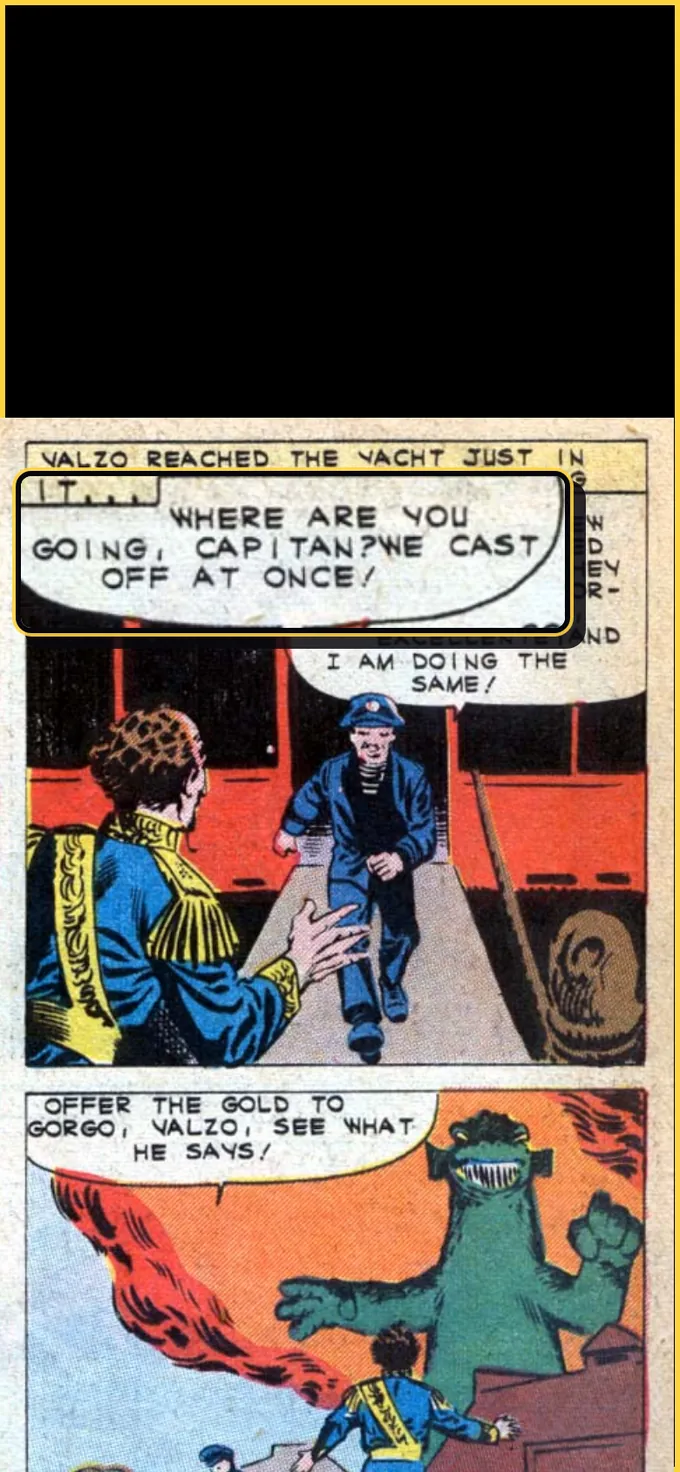
LiveComics can show a comic one speech bubble at a time. Switch on Pop out balloons, and in Panel view each tap pops the next balloon out of the panel, enlarged over the art, in reading order. After the last balloon in a panel, the next tap moves on to the next panel. It is free on the comics you upload, and it helps most on a phone, where comic lettering gets small.
What does Pop out balloons do?
It turns each speech balloon into a step of its own. Panel view already shows a comic one panel at a time, framed to fill the screen. With Pop out balloons on, each panel opens as usual, and then every tap shows its next balloon up close, lifted out of the art and enlarged over the panel. When the panel has no balloons left, the next tap turns to the next panel.
Going back works the same way in reverse: it steps to the previous balloon, and from the first balloon of a panel it lands on the last balloon of the panel before. Tap, swipe or press an arrow key, whichever you like. A panel with no balloons is a single stop, and the whole page is always one switch away.
Why read a comic one speech bubble at a time?
Because comic lettering is small, and a phone screen is smaller. A whole page shrunk to fit a phone turns the words into a squint, and even one panel can hold four or five balloons of tight hand lettering. Popping out one balloon at a time makes the words big enough to read in comfort, keeps your place in a busy conversation and lets you go at your own pace. The art stays in view behind each balloon, so you never lose the picture.
How do you turn on Pop out balloons?
- Open a comic in Panel view.
- Open the reader's Settings and look under View, or open the Change view picker.
- Switch on Pop out balloons, then tap to step through the balloons.
It stays off until you switch it on. Your choice is saved to your account, so it follows you to every device you sign in on. The switch only appears on books that have balloon data, so on a book without any you will not see it.
Does it work on my own comics for free?
Yes. Upload a CBR or CBZ file you own and pick Panel view, which is free on every issue you upload. Our panel finder splits each page into its panels, finds the speech balloons in each one and puts them in reading order, and Pop out balloons follows that order. It costs nothing and needs no credits. Balloons and their order are worked out automatically, so on a crowded panel one can be missed or come out of order, and some older uploads have no balloon data yet.
Does the popped balloon follow the narration?
Yes, on voiced books. When an issue has voices, every line performed by a synthetic voice cast with sound effects and a score, the popped balloon follows the line being read aloud while it plays. Pause, and your taps take over again. Free Panel view books are silent, so there your taps move you from balloon to balloon. Voices are priced per issue, and you see the price before you buy.
Read comics panel by panel, free · What order do you read speech bubbles in? · A panel-by-panel comic reader for the comics you own
Straight answers
Is there a comic reader with bubble zoom?
Yes: LiveComics can pop out each speech balloon, enlarged, one tap at a time and in reading order. Switch on Pop out balloons in Panel view. It is free on the comics you upload, in any browser.
How do I zoom in on speech bubbles when reading comics on my phone?
Switch on Pop out balloons in the LiveComics reader: in Panel view, each tap then shows the next balloon up close over the panel. Swipes and arrow keys work too, and going back steps back one balloon at a time.
Is Pop out balloons free?
Yes: it needs no credits on the comics you upload with free Panel view, and it costs nothing extra on books with voices. Only the voices themselves are paid, priced per issue.
Why can't I see the Pop out balloons switch?
Because the book you have open has no balloon data: the switch only appears on books where balloons were found. Look in the reader's Settings under View or in the Change view picker, and your saved choice comes back on the next book that has balloons.
Does Pop out balloons read the balloons aloud?
Only on voiced books: while one plays, the popped balloon follows the line being read aloud. Free Panel view books are silent, so your taps move you from balloon to balloon.
What if a balloon pops out in the wrong order?
Keep tapping, or step back: balloons and their order are found automatically, so on a crowded panel one can be missed or come out of order. The whole page is always one switch away, and on a keyboard P flips between panels and whole pages.