How to read comics on your phone
The best way to read comics on a phone is one panel at a time, each panel filling the screen, instead of pinching and dragging around a whole page. When the lettering is still small, pop out each speech balloon as you reach it, turn on subtitles to read the words as plain text, or have the page read aloud. Try all four on a real comic page below, free and with no account.
Try the four ways on a real comic page
Pick a way to read, then press Start: it is the same reader LiveComics members use, on one page of a public domain comic from the free streaming shelf. Panel view, Pop out balloons and Subtitles make no sound. Read aloud plays the voices and the sound effects, so turn your sound on for that one.
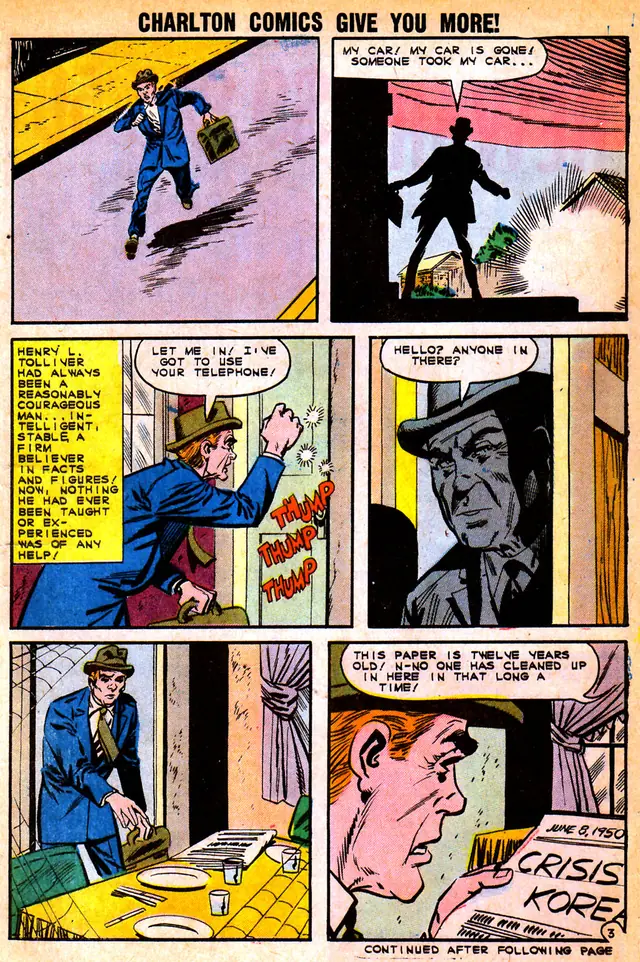
Four ways to read a comic on a small screen
1. Panel view: one panel at a time
A comic page is drawn for print, so on a phone the whole page shrinks until the lettering is hard to read. Panel view frames one panel at a time, filling the screen, and a tap on the right side moves on to the next panel in reading order. It is free on every comic you upload, in beta, and the whole page is always one switch away.
2. Pop out balloons: each speech balloon up close
Even one panel can leave the lettering small. With Pop out balloons on, each tap pops the next speech balloon out of the panel, enlarged over the art, in reading order, and after the last balloon the next tap moves on to the next panel. It is free on the comics you upload, and since the balloons are found automatically, one can be missed or come out of order.
3. Subtitles: the words as plain text
Subtitles show each panel's dialogue under the art as plain text, sized for your screen, so you can read the words without hunting for them in the drawing, with the sound off. Every comic on the free streaming shelf has them, and a comic you upload gets them with Premium panels, for credits.
4. Read aloud: voices and sound
Read aloud plays the comic panel by panel with every balloon voiced by a full cast, the drawn sound effects and a score, and turns the panels for you. Every issue on the streaming shelf is voiced and free to stream with a free account. Voicing a comic you upload is priced per issue, and you see the price before you buy.
Panel view, free on the comics you own · Audio comics, read aloud
Is a phone or a tablet better for reading comics?
A tablet, if you want to see whole pages: its bigger screen shows a full comic page large enough to read the lettering, much closer to how it was printed. A phone is the screen you always have with you, and it works well once you read panel by panel instead of page by page. On either one, the whole page is a switch away whenever you want to see how the artist laid it out.
How can I read comics on my phone for free?
Start with the free streaming shelf: classic public domain and openly licensed comics, every issue voiced, free to stream with a free account and no card. For the comics you already own as CBR, CBZ, PDF or EPUB files, a free account holds 1 GB, about 20 issues, and Panel view is free on every one. To open a single CBR or CBZ file with no account at all, use the viewer on the page about opening CBR files.
How to open CBR files · Read Mysteries of Unexplored Worlds · Read comics from Google Drive or Dropbox
Do I need an app to read comics on my phone?
No. LiveComics runs in your phone's browser, Safari on an iPhone or Chrome on Android, with nothing to install, and your place is kept on every device you sign in on.
Comic reader for iPad · Comic reader for Android · Comic reader for Windows · Comic reader for Mac
Questions readers ask
What is the best way to read comics on a phone?
Read one panel at a time, with each panel filling the screen, rather than zooming around a whole page. A comic page is drawn for print, so its lettering gets small on a phone, and a panel view keeps it readable. Pop out balloons, subtitles and read aloud help with the rest.
How do I make comic text bigger on my phone?
Pop out the speech balloons: each tap enlarges the next balloon over the art, in reading order. Subtitles are the other way, showing the words as plain text under the panel.
Can my phone read comics out loud?
Yes, in the browser: LiveComics plays a comic panel by panel with every balloon voiced by a full cast and the sound effects performed. Every issue on the free streaming shelf is voiced, and you can try a page above with no account.
Can I read my own comic files on my phone?
Yes. Upload your CBR, CBZ, PDF or EPUB files to a free shelf and read them in your phone's browser, panel by panel if you like, with your place kept on every device.
Do I need to sign up to try it?
No. The demo on this page plays with no account. Streaming the whole shelf and uploading your own comics take a free account, with no card.
Read this page in: Español · Português · Français · Deutsch · Indonesia · Tiếng Việt